21
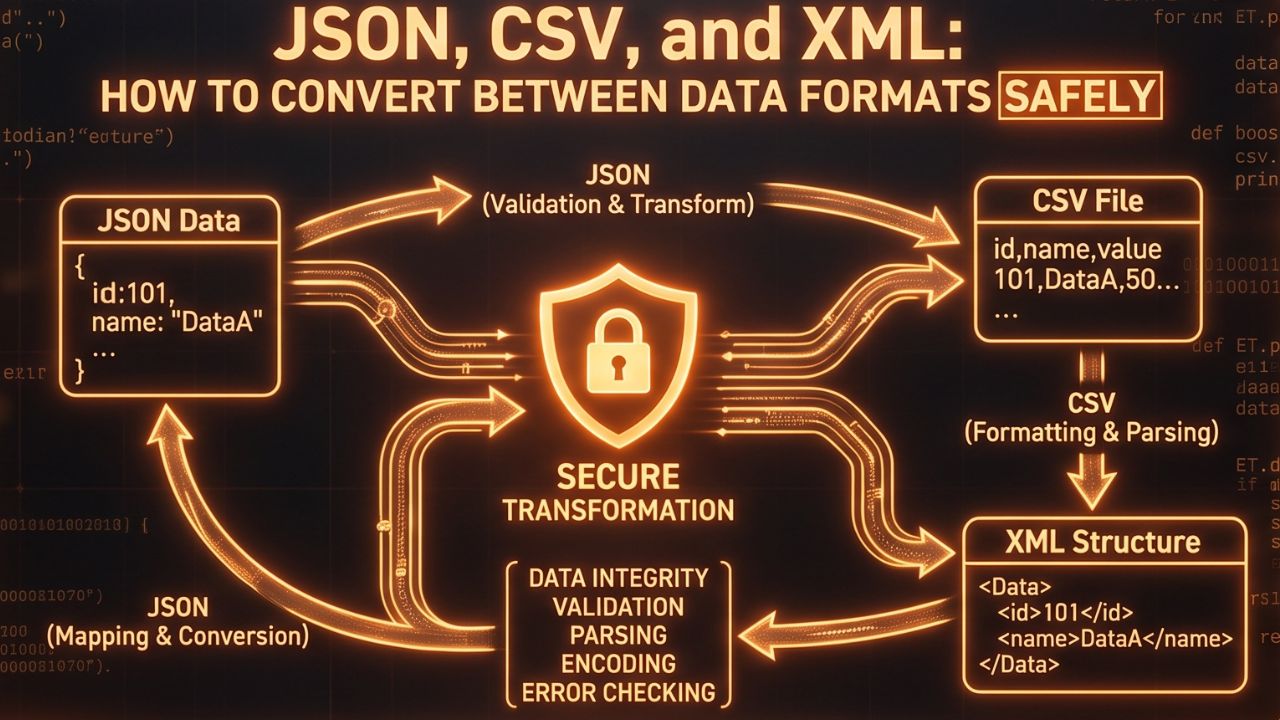
JSON, CSV, and XML: How to Convert Between Data Formats Safely
Discover the differences between JSON, CSV, and XML data formats, and learn the best practices for converting between them safely and accurately.
Introduction to Data Formats: The Language of the Web
In the modern, highly interconnected digital landscape, data is the undisputed king. However, data does not exist in a vacuum; it must be structured, stored, and transmitted in specific ways so that disparate systems, software applications, and web services can seamlessly communicate with one another. This is precisely why various data formats were invented. Among the multitude of formats available today, JSON (JavaScript Object Notation), CSV (Comma-Separated Values), and XML (eXtensible Markup Language) stand out as the undisputed pillars of data interchange. Whether you are an experienced software developer, a meticulous data analyst, or a digital marketer working with extensive CRM databases, you will inevitably encounter these three formats on a regular basis.
While each of these formats has its own unique strengths, specific use cases, and distinct syntax, there frequently comes a crucial time when you need to translate data from one format into another. Perhaps you need to export a complex database into a format that a legacy application can understand, or maybe you need to transform a massive spreadsheet into a lightweight format suitable for a modern web API. In this comprehensive guide, we will thoroughly explore the fundamental characteristics of JSON, CSV, and XML, and provide you with essential, practical advice on how to safely and accurately convert between these formats without risking catastrophic data loss or corruption.
Understanding the Big Three Data Formats
Before diving into the complexities of data conversion, it is absolutely critical to understand the inherent structure, primary purpose, and typical use cases of each of these dominant data formats.
1. CSV (Comma-Separated Values): The Tabular Standard
CSV is arguably the simplest and most universally recognized format for storing tabular data. Imagine a standard Excel spreadsheet or a database table translated into pure, unformatted text. In a CSV file, each line of text represents a single data record (a row), and each individual field within that record is separated by a specific delimiter, most commonly a comma (hence the name). Because of its incredibly simple, flat structure, CSV files are notoriously lightweight, lightning-fast to process, and incredibly easy to read for both humans and simple parser scripts.
However, this simplicity is also its biggest limitation. CSV absolutely struggles with representing complex, deeply nested, or hierarchical data structures. It is entirely designed for flat, two-dimensional tables, making it less than ideal for complex web configurations or deeply relational data.
2. XML (eXtensible Markup Language): The Structural Pioneer
XML is a highly robust markup language that uses a strict system of custom tags to define both the structure and the meaning of data. It looks somewhat similar to HTML, but while HTML is strictly designed to display data on a webpage, XML is designed purely to structure, store, and transport data. XML was once the absolute gold standard for web services (like SOAP) and enterprise-level data exchange.
The primary advantage of XML is its incredible flexibility and its ability to represent incredibly complex, deeply nested, hierarchical relationships perfectly. It is also self-describing, meaning the tags themselves provide significant context about the data they enclose. The major downside to XML, however, is its notorious "verbosity." XML files are incredibly "chatty" and require a massive amount of surrounding syntax (opening and closing tags) for even the smallest pieces of data. This makes XML files quite large in file size and noticeably slower to parse compared to more modern alternatives.
3. JSON (JavaScript Object Notation): The Modern Standard
JSON has rapidly emerged over the last decade as the de facto standard data format for modern web APIs, mobile applications, and NoSQL databases. It is a highly lightweight, entirely text-based format that uses a clean, intuitive structure based strictly on key-value pairs and ordered arrays. JSON natively represents complex hierarchical data structures, much like XML, but it does so with drastically less syntax and overhead.
Because JSON derived its syntax directly from JavaScript, it is incredibly easy for web browsers and web-based applications to parse and generate it natively. It is significantly more compact than XML, making data transmission over networks much faster, and it is arguably much easier for human developers to read and understand at a quick glance than heavily nested XML.
The Challenges of Converting Between Data Formats
While these three formats serve similar overarching purposes, their underlying structural philosophies are fundamentally different. Moving data between them is rarely a simple 1-to-1 mapping process, and several critical challenges frequently arise:
- Flattening Hierarchical Data: The most common headache occurs when attempting to convert deeply nested JSON or XML data into a flat CSV format. Because CSV lacks the ability to represent sub-objects or nested arrays natively, you are forced to "flatten" the data, which often results in duplicating rows, creating incredibly wide and unwieldy columns, or selectively losing contextual information entirely.
- Data Type Ambiguity: Unlike robust databases, formats like CSV do not explicitly define strict data types (like integers, booleans, or specific date formats). When converting from JSON to CSV, boolean values (true/false) might just become generic text strings. Converting back requires intelligent parsing to guess the correct data type, which can lead to frustrating errors if not handled perfectly.
- Character Encoding and Escaping: If your text data naturally contains commas, quotation marks, or specialized Unicode characters, converting to CSV requires careful and precise string escaping to prevent the CSV parser from confusing your data for a delimiter, which would instantly corrupt the entire file's structure.
How to Safely Convert Between Data Formats
To ensure total data integrity during any conversion process, you must rely on the right strategies and reliable, tested tools rather than attempting to write custom parser scripts from scratch.
Converting CSV to JSON
When you need to import legacy spreadsheet data into a modern web application or database, converting CSV to JSON is a very standard requirement. Because you are moving from a simple flat structure to a highly flexible structure, this conversion is generally straightforward. The primary headers of your CSV file simply become the "keys" in your resulting JSON objects, and the corresponding rows become the "values." To do this effortlessly without writing custom Python or JavaScript code, you can use a reliable online utility like a CSV to JSON converter. These tools intelligently handle the parsing of delimiters, manage string escaping, and output perfectly formatted, clean JSON arrays ready for immediate use in your projects.
Converting JSON to XML
Sometimes you need to integrate a cutting-edge modern JSON-based API with a highly rigid legacy enterprise system that strictly demands XML formatting. In this scenario, because both formats natively support complex hierarchical structures, the data can usually map quite cleanly. However, JSON arrays often require special structural handling to be translated accurately into repeated XML tag elements, as XML does not have a dedicated "array" syntax like JSON does. To ensure that your nested objects, specific attributes, and arrays are converted accurately without breaking strict XML validation rules, it is highly recommended to use a specialized JSON to XML converter. These dedicated tools automatically wrap your arrays in the correct parent tags and ensure that the resulting XML is perfectly valid, well-formed, and completely ready for enterprise deployment.
Best Practices for Flawless Data Conversion
- Always Backup Your Original Data: Before initiating any conversion process, especially on large datasets, make a secure copy of your original files. Never overwrite the original source data directly.
- Validate Your Output: After performing a conversion, never blindly trust the result. Always use JSON linting tools or XML validators to ensure the structural integrity of your output file. A single misplaced bracket or missing closing tag can render the entire file useless.
- Spot Check for Accuracy: Open the converted file and manually inspect a random sample of the data. Pay incredibly close attention to edge cases: how were special characters handled? Did commas inside text fields break the CSV structure? Did nested arrays convert properly into XML?
- Define Your Schema First: If you are writing custom code to handle conversions, explicitly define your target schema (the exact structure you want) before you begin. This helps you programmatically handle missing fields or unexpected data types gracefully.
Conclusion
Understanding the fundamental structural differences between JSON, CSV, and XML is an absolutely essential skill for any modern professional working with data, software development, or system integration. While converting between these ubiquitous formats can present unique structural challenges, utilizing the correct tools and adhering to strict best practices ensures that your valuable data remains perfectly intact, highly accurate, and ready for whatever application requires it.
Contact
Missing something?
Feel free to request missing tools or give some feedback using our contact form.
Contact Us